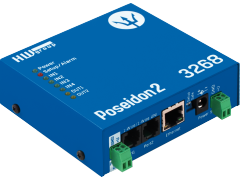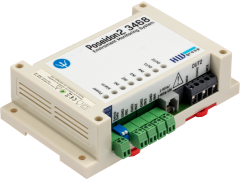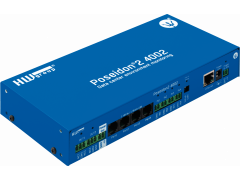
Poseidon family menu   -  Software:  CapTemp, HWg-PDMS //  3rd party SNMP: (Nagios, WhatsUp, Cacti, Zabbix, Zenoss) //  SDK
  -  Poseidon models3265 / 3266 / 3268 / 3468 / 2250 / 4001 / 4002   //   HWg-STE / HWg-WLD
  -  Sensors: Temperature (Pt100), Humidity, Power, Water Flood, Smoke, 4-20mA 48V and others..

Poseidon model 1140

Poseidon can connect sensors such as digital inputs, temperature and humidity sensors to Ethernet network. You can connect up to 40 sensors to one unit. We sell simple "indoor" sensors as well as proffesional precise sensors (Pt100, 4..20 mA, ..). The measured values can be accessed over WWW interface as well as different M2M protocols (XML, SNMP, Modbus/TCP).

Note: Poseidon model 1140 was replaced by model Poseidon 2250.

The Poseidon model 1140 is designed for watching temperature, humidity and other sensors (up to 42). You can watch each sensor's critical values. In case the sensor goes out of the Safe Range, Poseidon notifies the operator by sending a SNMP trap (UDP paket).

Typical applications for Poseidon are supervising stocks or warehouses, 19" racks, or cable collectors.

Poseidon Measures

  • Temperature (up to 42 sensors which can be distant up to 1,000 meters from the device, temperature range -55 °C .. +640 °C)
  • Humidity (up to 25 sensors, up to 1,000 meter distance)
  • Digital input/contact (sensors of smoke, vibration, motion, submersion, declination, opening/closing door, air flow etc.)
  • General input (0..10V, 4..20mA – using external converters to RS-485)


The device is controlled from a graphical interface - try the online version: http://80.250.21.84.

Basic features of the 1140 model

  • You can access up to 42 sensors over Ethernet (Internet), using protocols such as SNMP, XML, WEB, Modbus/TCP and more..
  • You can connect up to 42 sensors to one Poseidon unit, you don't need to upgrade the unit to connect additional sensors.
  • Many sensors available, cheap simple sensors form home use, or complex industrial sensors with 0,15 °C accuracy and range from -50 to +640 °C.
    • Sensors can be distant up to 1.000 meters (RS-485) from the Poseidon itself
  • The device can be remotely configured over graphical www interface
  • Security can be ensured by access passwords or predefined IP address range.
    Any device's configuration change can be denied with a DIP switch.
     
  • A standard SNMP device, sophisticated MIB supporting joint requests
  • As soon as any value is out of range, the device sends a UDP SNMP Trap
  • You can connect standard industrial sensors (Pt100, thermoelement, current loop 4..20 mA, voltage 0..10V)
  • FirmWare can be updated over WWW or RS-232, latest version can be downloaded from our website.
  • OEM =  Original Equipment ManufacturerFor our OEM partners it’s possible to change the design of HTML pages as well as the contact lists etc (you have to order more then 50 pcs).
  • If you need measured values logging, ask us about the Poseidon2, which stores the measured values into its internal 512kB Flash memory.
  

Downloads & Datasheets

Flyer

Pro práci s Flash Setupem budete potřebovat Macromedia Flash Player
Datasheet

http://80.250.21.84 - Online demo
 

Typical applications

ApplicationsConsidering the price, simple installation and user friendly interface, the Poseidon device is designed especially for:

  • IT – monitoring of server rooms and infrastructure, 19“ Racks, UPS, accumulator rooms
  • Environment monitoring in intelligent buildings
  • Air-condition devices supervising
  • Storage premises monitoring
  • Telecommunication devices (transmitters, PBX)

Poseidon 1140 system topology

Big image Web XML SNMP SNMP Traps Temp232 1-Wire HTemp485 Temp485 Binary inputs Temp-pt100 Port 1 Port 2


SW for reading out the measured values

The measured data can be accessed over TCP/IP and UDP/IP using these protocols:

The values and sensor's states are displayed on a WWW page, which reloads every 5 seconds. From the main page, there is a link to the Flash setup, FW update, etc...
The values and sensor's states are in an .XML file (values.xml) available for any application. More information about XML.
SNMP is a protocol for supervising telecomunication devices, network infrastruktures and other technologies. Poseidon can be fully controlled using SNMP (v1, some parts from v2) - more information.
If any value exceeds the "Safe range", the sensor will go to an alarm state and it sends a SNMP trap to a predefined IP address - more information.
Modbus/TCP is an industrial standard for sensors and visualisation and SCADA systems. All the sensor's values are accessible over Modbus/TCP - more information.


You can find more detailed description obout these interfaces and Poseidon software here: Poseidon – communication interfaces .


HW interfaces for sensors of the Poseidon device

K You can connect the sensors to several buses at once, using a wide variety of sensors, from simple home thermometers up to proffesional industrial sensors. You can find more information in the sensor's overview.

  • Digital inputs
    3 inputs for door contact, relay outputs of any other binary sensor.
  • RS-232
    1 sensor up to 20 meters distant, the interface is used mainly for device setup.
  • 1-Wire
    Interface for connectiong up to ten simple sensors distant up to 15 meters from the device.
  • RS-485
    You can connect the desired sensors to the RS-485 bus, which can be up to 1000 meters long. If you use proper converters, you can connect current loop sensors (4..20 mA), or platinum sensors like Pt100, Pt500, Pt1000 (2,3 or 4 wire connection).
    You can connect up to 31 sensors to one RS-485 line.
 

Technical specifications of the Poseidon 1140

  • Ethernet: RJ 45 - 10BASE-T / 10 Mbit/s
  • Port1: RS-232 / RS-485 / 1-Wire
  • Port2: RS-232
  • 3x Binary inputs: 3 contacts connection block (0 to 500W)  
  • Device setup :
    • Local - RS-232 Setup - sensor's setup and initialization, IP address setup, etc...
    • UDP Config - IP address setup, etc... - works only on a local network segment
    • Over HTTP - Flash setup - password and preset IP address range protected
    • Over SNMP - only some parameters
       
  • Ethernet communication interfaces :
    HTTP - WWW page - (see the Online demo), XML, Modbus over TCP, SNMP, SNMP traps


Ethernet port  
+ Interface RJ45 (10BASE-T) – 10 Mbit or 10/100 Mbit network compatible
+ Supported protocols IP: ARP, TCP/IP (HTTP, Modbus over TCP), UDP/IP (SNMP)
+ SNMP compatibility Ver:1.00 compatible, some parts of the ver 2.0 implemented
 
Serial port 1 DB9F - RS-232 / RS-485 / 1-Wire
+ RS-232 interface For Serial Setup mode and FW update only
+ RS-485 interface A (+), B (-), GND, +12V   (max. 31 sensors, up to 1 000 m)
+ 1-Wire interface Data, GND, +5V   (max. 10 sensors, up to 15 m)
 
Serial port 2 DB9M - RS-232  
+ RS-232 interface RxD,TxD,RTS,CTS,GND   (max. 1 sensor, up to 20 m)
+ Pinout Standard IBM PC - DB9M (RxD,TxD,RTS,CTS, DTR, DSR, GND)
 
Binary digital inputs  
+ 3x Contact inputs (Dry contact) Galvanic isolated up to 50V DC, max distance 30m,
connect it with a contact directly (dry contact).
 
LED Status indicators
+ POWER Green - power OK
+ LINK & Activity Green - Ethernet connectivity
+ SENSOR RS-485 Yellow slow blinking - Any RS-485 sensor not found
Yellow fast blinking - RS-485 sensors reading, value valid
+ MODE & RS-232 Red - blinking - Device is in the RS-232 Setup mode
Red - lit - One (or more) of the sensors is out of the Safe Ranfe
Green
slow blinking - RS-232 sensor not found
Green fast blinking - RS-232 sensor reading, value valid
 
DIP SWITCH configuration
+ DIP1   - RS--232 Setup mode ON   = RS-232 Setup mode over Port 2 or Port 1 (RS-232 mode only)
OFF = Run mode
+ DIP2   - Port 1 RS-232/485 mode ON   = Port 1 in the RS-485 mode
OFF = Port 1 in the RS-232 mode
+ DIP3   - Security ON   = Security mode - remote configuration disabled
OFF = Non-Security mode - remote configuration enabled
+ DIP4 Not used
 
Physical parameters  
+ Voltage requirements 12-15 V/ 150 mA DC- coaxial power connector (barrel), GND on the shield
+ Dimensions 25 x 82 x 90 [mm] (H x W x D )
+ Weight 450 g
 
Functional parameters  
Device SETUP configuration possibilities - RS-232 Setup - over any RS-232 terminal 9600 8N1
- UDP Config - IP address assign via UDP with using Hercules SETUP utility
- TCP Setup - Terminal configuration and sensors management
- WWW Setup - HTTP Flash application
- SNMP (just for some parameters)


Port 1 - DB9F
Port 2 - DB9M
1 A (+) <-> RS-485 Connection
2 TxD --> Transmit Data
3 RxD <-- Receive Data
4 1-Wire <-> Dallas 1-Wire data
5 GND --- System Ground
6 +5V PWR +5V / 10 mA supply
7 CTS <-- Clear to Send
8 RTS/12V --> Request to Send / +12 V for RS485 PWR
9 B (-) <-> RS-485 Connection
1 - - Not used
2 RxD <-- Receive Data
3 TxD --> Transmit Data
4 DTR --> Data Terminal Ready
5 GND --- System Ground
6 DSR <-- Data Set Ready
7 RTS --> Request to Send
8 CTS <-- Clear to Send
9 - - Not used
 

Digital inputs for connecting three contacts.

Every input has an independent alarm for contact Closed or Opened states.

The inputs use a common line, but they are galvanically separated from the power part of the Poseidon.

You can connect door contacts, tilt sensors, air flow failure detection, power failure detection, etc...


Poseidon Set - 1-Wire Temperature sensor parameters
+ Temperature range -55°C .. +125°C (–67°F .. +257°F)
+ Temperature accuracy +/- 0.5 °C for –10°C to +85°C temperature range
+ Temperature resolution 0.1 °C
+ Cable, sensor construction 1,5 m long cable, sensor in rubber isolation


Sensors used with Poseidon

You can connect a wide variety of sensors to the Poseidon, this chapter describes the basic ones, which are available.

Sensor Documentation Value Distance Maximum sensors Interface/Port Accuracy Construction
Digital input    
3x contacts
25 m
3
connection block
-
3x inputs for connecting a digital sensor
1-Wire   Datasheet (Manual)
1x temperature
15 m
10
1-Wire / Port 1
± 0,5 °C
Cheap sensor on a 1,5 m cable.
Temp-232   Datasheet (Manual)
1xtemperature
20 m
1
RS-232 / Port 2
± 0,5 °C
Cheap sensor on a 1,5 m cable.
Temp-485 Flyer Datasheet (Manual)
1x temperature
1 000 m
31
RS-485 / Port 1
± 0,5 °C
Standard sensor for an indoor wall mounting
HTemp-485 Flyer Datasheet (Manual)
1x temperature
1x humidity
1 000 m
25
RS-485 / Port 1
± 0,5 °C
± 2% RH
Standard sensor for an indoor wall mounting
Temp-485-Pt100 Box   Datasheet (Manual)
1x temperature
1 000 m
31
RS-485 / Port 1
± 0,15 °C
Professional solution, outdoor wall mounting, the sensor is on a box.
Temp-485-Pt100 Cable   Datasheet (Manual) 1x temperature
1 000 m
31
RS-485 / Port 1
± 0,2 °C Professional solution, outdoor wall mounting, supplied sensor is connected on a cable, 2m far from a box.
Temp-485-Pt100 Head   Datasheet (Manual) 1x temperature 1 000 m 31
RS-485 / Port 1
± 0,2 °C Professional solution, designed for installation into a thermometer. Pt100 or Pt1000 sensor is not part of the shipment.
Temp-485-Pt100 DIN   Datasheet (Manual) 1xtemperature 1 000 m 31
RS-485 / Port 1
± 0,2 °C Professional solution, DIN molding version, Pt100 or Pt1000 sensor is not part of the shipment.
Temp-485-2xPt100   Datasheet (Manual)
2x temperature
1 000 m
31
RS-485 / Port 1
± 0,15 °C
Professional solution, DIN molding version, Pt100 or Pt1000 sensor is not part of the shipment.
Flyer product's flyer (1 to 4 pages in PDF format),      Datasheet (Manual)product's datasheet in PDF format


You can find the detailed description of all available sensors here


Available Software

You can use many different programs and utilities to work with the Poseidon. Here is the basic overview, you can find a detailed description in the datasheet, or on this page: Poseidon – communication interfaces

  • Hercules Setup Utility - IP address setup, Setup mode (RS-232, Telnet) etc.. - details..
  • WWW browser (with Flash plugin) - device setup, measured displaing values
  • Common SNMP utilities - values reading, device setup (for example Getif, SNMPView, SNMPc and more..)
  • Common Modbus/TCP utility - reading the values (for example) - see more here: www.modbus.org
  • Special utilities for Poseidon:
    • iPoseidon - a simple utility for reading XML values
    • DD60 PoseiTureLogger - periodical reading of XML values, data logging, graph, source codes for Delphi..
    • PN Eye - HW group utility, it monitors the Poseidon, logs tha data, etc.. .


Tested with Poseidon

Except these examples of communication utilities, Poseidon also works with these systems:


Other tested systems: HP Open View, IBM Tivoli, CA Unicenter TNG and more...


FAQ & Support

Ask for the price or details:
NAME:* 
Company: 
 - Web:  http://
Email:* 
Phone: 
Country: *

Spam protection. How many is five times six?

Q: Can Poseidon model 1140 store the measured sensor's values in memory?
A: No, the 1140 model only interfaces the measured data to the Ethernet network. The Poseidon model 2250 can log the measured values to a circular buffer for approx. 40 000 values in the flash memory, together with a real time synchronized over NTP.

Q: Which software should I use?
A:  Poseidon uses common protocols, this means that you can use any software, which supports for example XML, or SNMP. To make this easier, read the device's datasheet, or refer to this page: Poseidon – communication interfaces .

Q: Are there, or will there be any other sensors available?
A: Yes, we are working on more sensors, now we have a current loop convertor for 4-20 mA, 0..10V.

Q: Is there any other free software which can read and log the Poseidon data?
A:  We are working on integrating Poseidon support into some common softwares, for example used in food industry. At the end of Summer 2005 a PN Eye software will be released. This SW will read and log the values from the Poseidon and inform the operator of alarms using email, or GSM/SMS..

Q: I see that you can connect up to 40 sensors to the Poseidon, but how can I distinguish one from another?
A:  Each sensor has a unique number. If it is a 1-wire sensor, it's the last two bytes from its serial number, for RS-485 it's the bus address. This value (Sensor ID) is accessible over WWW, XML, ModBus/TCP and SNMP. If you change a 1-wire sensor for another, you need to run the autodetection again, or you will not be available to read this new sensor.

Q: What is the exact count of each type of sensors, that you can connect to Poseidon?
A: The number of sensord is limited by their type and by the type of the bus, which they are connected to. Generally, there are these limitations:
    - 10x 1-Wire sensor
    - 25x
HTemp-485 sensor
    - 31x Temp-485 sensor
In one time, there can work max 42 of these sensors simultaneously.

Q: How do you secure the communication?
A: You can predefine allowed IP address range in the flash setup, the SNMP and HTTP parts can be password protected.
You can also use DIP3 to enable a mode, in which the user can work with the device, but cannot perform any configuration.

Q: The RS-485 sensors may require termination, does that mean, that I have to put a terminator after each sensor?
A: NO, you can surely find a more detailed description in any RS-485 datasheet, but simply you need to enable termination only on the last sensor of the bus.

Q: Can we use our own 1-wire sensors with the Poseidon?
A: Yes, if you use a DS18b20 or DS1822 based sensors.

Q: Can you use the Poseidon to turn on/off a PC?
A: Yes, you can use SNMP to control 2 output pins on Port2, where you can connect a relay for example.


Ordering and pricing

Poseidon samples are available now! For testing, we suggest ordering the Poseidon 1140 Tset, or Poseidon 1140 THset, which contain temperature or humidity sensors.

If you need different sensor configuration, you can order the sensors from our range and corresponding cabling according to your needs.

- Products are on stock in several samples.
- You can find all the prices in the pricelist .
Ordering number   Product  Input sensors Power adaptor Accessories *
Contacts Temperature Humidity
600 104 Poseidon - (price) 3x - - NO NO
600 000 Poseidon 1140 Tset - (price) 3x 1x 1-Wire - YES YES
600 001 Poseidon 1140 THset - (price) 3x 1x ** 1x YES YES
*The accesories contain: Cables for connecting the sensors, door contact, printed datasheet and CD with software
** Poseidon THset contains 1x temperature and humidity sensor HTemp-485


Poseidon 1140 THset

A recommended starting set for the temperature and humidity sensors
  • Poseidon unit, model 1140 - [600 104]
  • 1x "Temperature and humidity" sensor - HTemp-485 [600 106]
  • 1x cable for connecting HTemp-485 to Poseidon model 1140 on Port1 (DB9M / 4 pins), cca 1m long
  • 1x door contact (magnet included) [600 119]
  • 1x power adaptor "wall version " - [600 080]
    The correct version of the adaptor can be specified in the order, for UK or USA version
  • Printed datasheet - "Poseidon model 1140 manual"
  • CD with documentations, FirmWare versionsm testing utilities and other SW.


Poseidon - special accessories

  • 2x Wall Bracket "A" size [600 023] - Two sideways "L" plates for mounting the Poseidon to wall.
  • 3x Door contacts (plastic version) [600 120]
    3x sensors or opened-door detection - small, lightweight plastic version. Apart from the testing sets, these can be supplied only by multiplies of three pieces
  • E-cable [600 121]
    flat cable for connecting more 1-Wire or RS-485 sensors (1m, 1x DB9M / 3x DB9F)
  • R-cable [600 122]
    flat cable for connecting RS-485 sensor to Poseidon (20 cm, 1x DB9M / 4x wires) - (image, detailed connection)
  • DB9 Prolong cable 2m [600 064]
    A prolonging cable Canon 9 – connected 1:1, 2 meters long. Used for connecting sensors to Port1 and FW updates over RS-232.
  • Poseidon S-Cable 1140 [600 057]
    Connection cable RJ45/DB9M connecting S-Hub to the Poseidon model 1140
  • DB9 LapLink cable 2m [600 063]
    RS-232 LapLink cable for connnecting to a PC .
  • Poseidon T-Box 1140 [600 039]
    A splitter for connectiong up to 5 sensors to a 1-Wire bus (5x RJ-12) - Only for Poseidon model 1140
  • Power adaptor - USA version - 12V / 0,5A [600 081]
  • Power adaptor - UK version (Great Britain) - 12V / 0,5A [600 082]


Related products

  • Temperature and humidity sensors
    • 1-Wire (a cheap temperature sensor, 10 sensors, 10 meters distant)
    • Temp-232 (a cheap temperature sensor, up to 15 meters)
    • Temp-485 (room temperature sensor, up to 31 sensors, 1 000 meters)
    • Temp-485-Pt100 (professional temperature sensors, up to 31 sensors, 1 000 meters)
    • HTemp-485 (humidity and temperature sensor, up to 31 sensors, 1 000 meters)


  • Ethernet I/O Controller
    Connecting digital inputs and outputs over Ethernet, together with the serial line. The digital inputs can be monitored (I/O Controller is in the server mode), or the device itself reports any input changes (Client/Server mode).