|
EZL-200F - Conventer Ethernet - RS-232/422/485
EZL-200F is encased conventer RS232/422/485 for data transmition via
Ethernet network with a Real-Time Operating System and with data transmition security SSL.
For Ethernet connection UTP cable with RJ-45 connector is used.
Module can be without further programming connected directly to
RS-232/422/485 interface of any device.
Conventer
EZL-200F
converts serial line RS-232C,
RS-422 or RS-485 to Ethernet - standard 10/100Base-T. Serial interface
is changeable in the Conventer setup and ended with 9 pin Dsub male connector.
Network part is ended with RJ-45 connector cables.
The result is Ethernet conventer which differs from classic
RS-232 / Ethernet conventer in the fact that serial interface can be switched between
RS-232 RS-422 or RS-485 by software program.
An advantage is easy setup by the utility for Windows OS, AT commands or
by remote telnet terminal.
Wide spectrum of communication modes is supported according to user needs.
For secure TCP communication and data transmition is possible to use
authentication and encryption SSL 3.0 / TLS 1.0. It can be used in TCP server
or TCP client mode. |
EZL - 200F Module
(
Large picture
) |
Features
- Ethernet Network ( 10/100Base-T ) - RJ-45 connector for UTP cable.
- 1x serial port RS-232/422/485 accessible via Ethernet.
- Virtual serial port (ezVSP) for Windows - e.g. as COM 7 in PC
- Devices together can interconnect RS-232 port over Ethernet.
- MIC Real-Time Operating System for complete configuration, control and upgrade of the module by any RS-232 terminal (suitable also for other PC OS than Windows - e.g. Linux, UNIX)
- Intuitive and simple configuration software for Windows (by the means of Ethernet and RS-232), very easy installation
- Data security - support of secure transmition SSL (Secure Socket Layer), password-checked entry to configuration
- Authentication and encryption protocol SSL 3.0 / TLS 1.0 - allows prevent illegal reading of transmitted data by the person without authorization
- LED indication of the operation and communication
- Powered by an external DC 5V power supply unit
- Robust construction
Datasheets &
Links
Applications
Conventer
EZL-200F is connected to the device communicating via serial RS-232, RS-422 or RS-485 transmition.
Last two possibilities allow serial network industrial communication.
Opposite side is represented by other Ethernet device (e.g. PC), HUB, switch or router,
which accesses serial port into classic Ethernet network.
So it can communicate with any PC connected to the network or to the Internet.
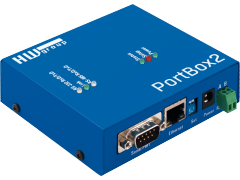
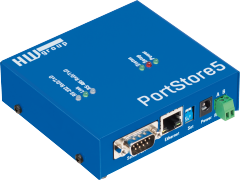
On the opposite side can be of course another EZL200F or other conventer (e.g. PortStore or PortBox).
- Remote sensors' communication (e.g. electronical thermometers) and PC via LAN.
- Remote monitoring systems
- ATM systems
- Traffic a informations systems (displays)
- health check systems
- Remote data retrieving of the MaR system (Measuring and Regulation).
- Ethernet realization of factory networks with connection to LAN and Internet
- Security systems
- Remote control of industrial machines
- Wireless communication of measuring devices (multimeters, oscilloscopes and others)
- Data synchronization of portable devices with PC
Parameters
|
Serial port RS-232/RS-422/RS-485 |
|
|
+ Data bits |
7 or 8 |
|
+ Parity |
None / Odd / Even |
|
+ Baud rates |
1.2 .. 115.2 kBd - whole range
(RS-232/422 - fullduplex, RS-485 - half duplex). |
|
+ Data flow control (RS-232) |
CTS/RTS, None |
|
+ Interface |
9 pin Dsub - male |
|
+ Used RS-232 signals |
RxD,TxD,RTS,CTS, DSR, DTR
- RTS and CTS pins are used after activation only |
|
+ Used RS-422 signals |
RX+,RX-,TX+,TX- (full duplex) |
|
+ Used RS-485 signals |
TRX+,TRX- (half duplex) |
| |
|
Ethernet port |
|
|
+ Interface |
RJ-45 connector (Auto MDI/MDIX) |
|
+ Compatibility |
10/100Base-T Ethernet |
|
+ Supported protocols |
TCP, UDP, IP, ICMP, ARP, DHCP, TELNET, PPPoE, SSL
3.0 / TLS 1.0 |
|
+ TCP connection closing |
Data - timeout (optional) |
|
+ Security |
SSL3.0/TLS1.0 (RSA, RC4/DES/AES) |
| |
|
Environmental conditions |
|
|
+ Operating temperature |
0– 70 °C |
| |
|
Physical parameters |
|
|
+ Voltage requirements |
5V DC
- barrel (coaxial) power connector, GND on the shield |
|
+ Dimensions |
136 x 83 x 29 [mm] (H x W x D ) |
|
+ Weight |
cca 140g |
| |
|
Functional parameters |
|
|
Device FW update |
- over RS-232 (ISP mode) - wflash Windows
software
- over TFTP - hotflash Windows software |
|
Device configuration possibilities |
- Serial terminal - MIC OS (full
setup), AT commands
- Ethernet - ezConfig Windows software, telnet terminal |
|
LED diagnostic |
LINK & Activity on serial and LAN |
|
Operating System
|
MIC Real-Time OS for full module setup over RS-232
and telnet terminal |
RS-232/RS-422/RS-485 interface:
Connector pins definition and cable connection over RS-232 interface (
detail
)
Connector pins definition and cable connection over RS-422 interface (
detail
)
Connector pins definition and cable connection over RS-485 interface(
detail
)
Ethernet communication modes
:
Converter can behave as a client/server device according to chosen MUX TYPE (function modes):
|
Communicationmode |
Protocol |
ConnectionType |
|
|
T2S |
TCP
|
Passive
=
TCP Server
|
Converter listens on the selected port and awaits client's connection which can thereafter send or receive data |
|
ATC |
TCP |
TCP Client
or
TCP Server |
Communication is operated by transmitting AT commands over serial line which allows setting of the client/server mode (COD, T2S). |
|
COD |
TCP |
Active
=
TCP Client |
Converter establishes connection when RS-232 port receives the data and allows a transmition. |
|
U2S |
UDP |
Point-to-Point Broadcast |
Defined TCP port awaits data and sends them to IP address without a transmition control. This allows using a broadcast. |
Other supported communication protocols :
ARP, ezCFG, DHCP, TELNET,
PPPoE, Multimonitoring
TCP communication security:
SSL3.0/TLS1.0 (RSA, RC4/DES/AES)
Experiences
ezVSP (Virtual Serial Port):
-
You'll find the program on the provided CD,if necessary
download
the version from september 2005.
- Allows changeing speed of RS232 interface remotely.
- Installation of this program is conditioned by ownership of at least one module.
-
During installation it's necessary to enter the MAC address of the module and a key which is obtained by a
registration
on Sollae webpage. Further installation description can be found in the
manual.
Configuration over ezSerialConfig:
- To create contact between configuration program and the conventer must be connected to LAN and the firewall of the PC must be configured properly.
- Wrong configured Firewall can disallow communication with conventer.
- After program is started it's appropriate wait 10 seconds before establishing connection with EZL200F.
-
For reasons of universal use of ezConfig for all products of Sollae, it is possible to select and change only parameters belonging to corresponding module. Other parameters are locked up.
General:
- The connection of the module's serial port and the application must be performed by so called "zero mode" principle. That means interconnection of the RxD - TxD and RTS - CTS pins from the view of both ends of the connecting cable.
- If new firmware is loaded, it's good to exactly follow the application manual of the conventer.
- Conventer EZL-200F contains function to automatically detect 1:1 cable or cross-over cable.
Package
Package contains:
- EZL200F device
[600 126]
- CD with necessary software
- Power Supply and cables are not included
(recommended 5V Power
Adaptor [600 123] & LapLink cable [600 063])
Actual prices can be found in the price
list.
Download software
-
ezConfig
- for module configuration from PC via LAN. Allows setting parameters for Ethernet and serial transmition.
-
ezcfg_40b_EN.zip(343kB)
-
wflash
- for loading firmware via RS-232.
The latest firmware can be freely downloaded from producer's web page.
-
wflash21.zip (71kB)
-
hotflash
-
for firmware loading over Ethernet (LAN). The latest firmware can be freely
downloaded from pruducer's webpage.
-
hotflash15a.zip
(105kB)
-
ezTerm
- for testing communication (terminal for PC)
-
ezterm.zip (69kB)
-
ezVSP
- Virtual Serial Port for Windows - creates on the PC a virtual serial port (e.g. COM 7) which can be referenced by other programs and communicated as with the RS-232 interface even though the data transfer is actually via TCP/IP.
Note:
Program is intended for Windows 2000/XP only
-
ezVSP14a.zip (4,3MB)
Note:
All programs (except ezVSP) work under Windows 98 and higher
FAQ & support
Question
:
Where is the difference between EZL200F and other ordinary conventers.
Answer:
From the user's view is EZL200F conventer not only of usual RS232 line, but
it also converts it's industrial versions RS422 and RS485. Moreover EZL200F
contains Real-Time operation system, which together with Telnet allows set and
change parameters of conventer via any terminal, and so independetly on OS of the PC.
It's useful for example for OS Linux or Unix. After all it contains secure transmition by
SSL3.0/TLS1.0 protocol, which disallows unauthorized reading of communication over LAN.
Question
:
Is it necessary to program the module some way if
I only need a simple GateWay from RS-232 (TTL) to TCP/IP or UDP/IP?
?
Answer
:
NO, you only need to use the module and set necessary parameters.
You don't have to program anything!
Question
:
Would the module work as a Virtual Serial Port
under Windows?
Odpověď
:
YES, the converter fully supports the function of remote Virtual Serial Port through TCP/IP.
Moreover the producer offers free program ezVSP to download.
It's only necessary to register and give the MAC address of the module you've bought.
Question
:
Is it possible to configure the module also by other means than through
Windows programs?
Answer
:
YES, by the means of AT commands through serial port and any terminal. The sequence of ASCII chars as AT commands can be thus transmitted even from singlechip microcontroller.
The list of usable AT commands with examples of correct
configuration sequences contains the detailed manual for specific module.
Question
:
Is it possible to change a FirmWare in the module ?
Answer
:
Yes it is, innovated FirmWares can be downloaded from the Sollae's webpage
(www.ezTCP.com) and load into the module via RS-232
and wflash program or via Ethernet by the means of the program hotflash.
Question
:
Does the ezVSP (Virtual Serial Port) software allow creating more than one virtual port?
Answer
:
Yes, this software allows to set up to 127 virtual ports on one PC.
Detailed guide on this can be found in the program's manual which
is free to download on these pages in menu item "Datasheets".
Question
:
What does SSL protocol serve for?
Odpověď
:
Secure Sockets
Layer (SSL) is protocol for authorization and encryption of data transmition
via
Ethernet network between two subjects (client-server).
It prevents reading of data captured during the transmition by
unauthorized third party. For encryption the RSA method is used, it
uses freely distributed public key and private key of particular
device, which allows decryption of incoming message. SSL runs over
TCP/IP protocol in the server or client communication mode.
Related
More Sollae converters:
-
EZL-50
- embedded modules of conventer
-
EZL-60
- developing kit for EZL-50 modules
Sollae Wifi conventers:
-
EZL-80
- embedded EZL-80 modules (for
PCMCIA card) and EZL-80c (for CF card)
-
EZL-90
- kit with EZL-80c module, contains
coventer TTL/RS-232, LED indication and power supply
-
EZL-300W
- robused conventer RS-232/WiFi
with Real-Time OS and EAP-MD5 authentization
-
EZL-300W Lite
- simpler and
cheaper version of EZL-300W module
|