
Technical support & download Application notes
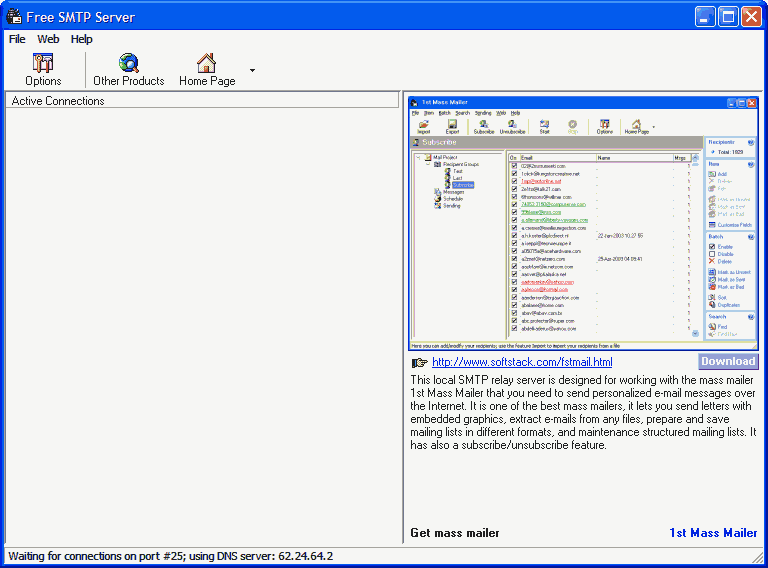
AN22 - How to send an e-mail from the PortStore buffer deviceThe PortStore buffer device has the facility to send e-mail alert when power failure occurs or the buffer is getting full. These functions are useful when you use PortStore as CDR/SMDR buffer for PBX in remote location. To use this function, it is necessary to have installed a SMTP server on the network which takes care of e-mail delivery. This application note describes configuration of the PortStore with a freeware SMTP server for MS Windows - Free SMTP server.To start up of e-mail functionality of the PortStore is not necessary to use mentioned Free SMTP server but is possible to apply different software. Its selection is based on operating system of the server and on additional requirements of organisation. Free SMTP server settingsDescription of programmeFree SMTP server is freeware for MS Windows which enables to send e-mails directly from your computer. It can be used instead of your ISP's one. It does not require authorisation and special settings so it is easy to send e-mails from the PortStore. IstallationInstallation of software is quite simple. First, we must download last version of Free SMTP server http://www.softstack.com/download/freesmtp.zip. We must unzip downloaded archive to a temporary folder and then we launch setup.exe. Wizard takes us trough the installation. ConfigurationFree SMTP server is immediately usable after installation and there usually is not necessity to change any options. There are not many possibilities of configuration. All options are in menu File->Options. We can set two options in this dialog - port number (standard number of SMTP protocol is 25) and DNS server address. First option is necessary to change only in case that we already have another service on this port or due to security arguments. Second choice is suitable when we have special DNS server for an e-mail communication on our network. Settings of PortStoreWe must set the IP address of device, its mask, port number and gateway in PortStore's TCP Setup or RS-232 setup (see User's manual) at first. After this we can configure the e-mail. It can be done according to following example.
Tip: After setting up the parameters switch PortStore from Setup mode to Ethernet mode.
Power failure alert verify
Full buffer alert verify
First, we must prepare testing data that we will send via RS-232 into PortStore. This we make in pane Serial We right-click on state window (below text "Received/Sent data") and from context menu we choose Send file-> Test file generator and we save the file.
During sending of data we should received two e-mails from the PortStore. The messages look like following ones.
If e-mails come then everything is right and the PortStore works properly. (Tip: It is often that your anti-spam software blocks e-mails from the PortStore because it interprets them as SPAM. If this happens you have to change configuration of the anti-spam.)
I am looking forward your comments and technical questions. Marek Matějka - Matejka @ hwg.cz
Links and download
|